
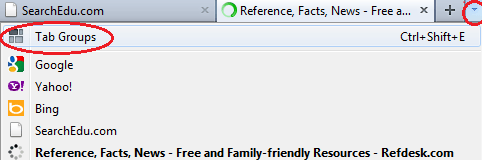
Open each site you want to add to your Tab Group. You can change the group later, but you should have at least several tabs open to create the initial group. Press the small arrow at the far right of Firefox window, at the end of your last tab. Select Tab Groups. This opens the Tab Groups window. 
The Tab Groups window lists a small preview of every tab that’s currently in the group, along with the name of the site.
The Tab Groups window lists a small preview of every tab that’s currently in the group, along with the name of the site.
