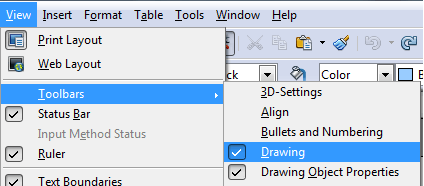
In OpenOffice Writer, this feature exists, but with a different name. FontWork works almost the exact same as WordArt, but if you’re used to Word, finding the option may be a little difficult at first.
Showing posts with label office MS Office. Show all posts
Create WordArt With OpenOffice Writer FontWork
In OpenOffice Writer, this feature exists, but with a different name. FontWork works almost the exact same as WordArt, but if you’re used to Word, finding the option may be a little difficult at first.
Create and Use the Word 2010 Master and Subdocument Feature
Master documents in Word are documents that merge together and hold links to several smaller documents. Their purpose is to support the management of large documents by allowing the user to “fold” up the subdocuments into links, thereby leaving the master document with an organized framework.
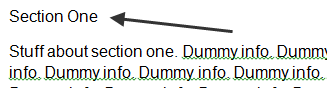
To see how this works, first create a document that has several sections in it, denoted by typing some sort of heading on a line by itself. The example we’re going to use here has some opening text, and then five sections denoted as Section One through Section Five. Before formatting, it looks like this:

This document will serve as our master document, while the sections inside of it will become our sub-documents
To see how this works, first create a document that has several sections in it, denoted by typing some sort of heading on a line by itself. The example we’re going to use here has some opening text, and then five sections denoted as Section One through Section Five. Before formatting, it looks like this:
This document will serve as our master document, while the sections inside of it will become our sub-documents
Subscribe to:
Posts (Atom)