When booting Ubuntu, press the
Esc key when the
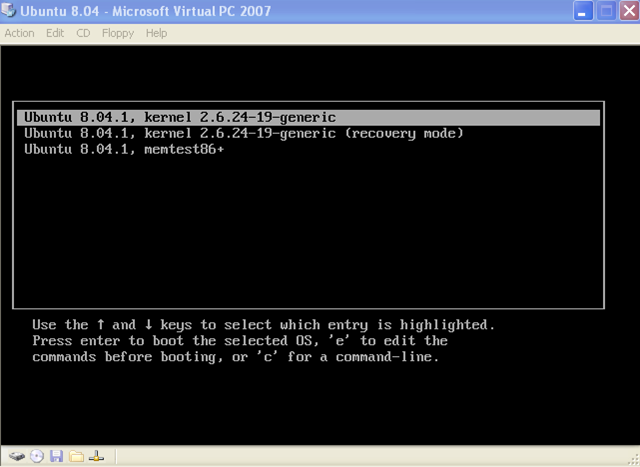
GRUB loading is displayed. You should get 3 boot options menu:
Make sure,
Ubuntu 8.04.1, Kernel 2.6.24-19-generic is selected, and press the letter
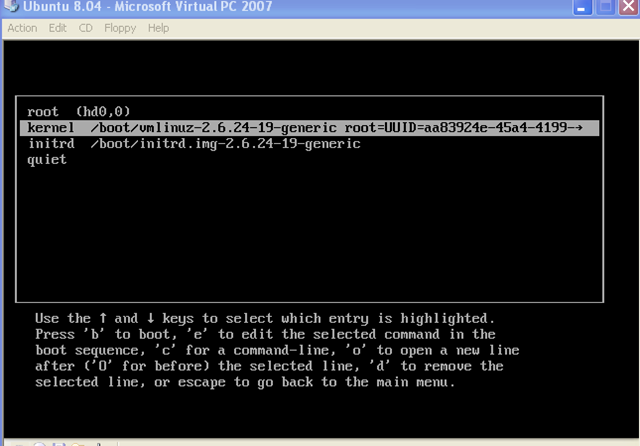
E on your keyboard. You should get to the following window, with 3 options again:
Press the letter
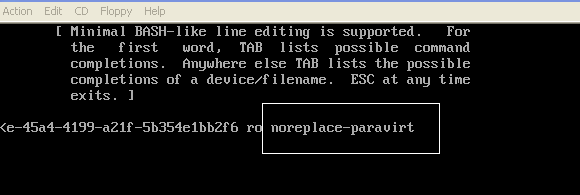
E again on your keyboard. on next window, delete the last piece of code that says “quiet splash ““ ““” and replace it with “
noreplace-paravirt”
Press enter, you should get back to the previous window. Press
B on your keyboard, Ubuntu should load fine now.
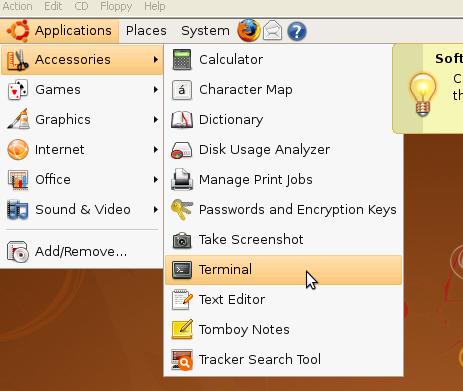
Now, we need to make this change permanently. After you logon to your Ubuntu GUI go to
Applications then
Accessories and open
Terminal
Type the following command on terminal “
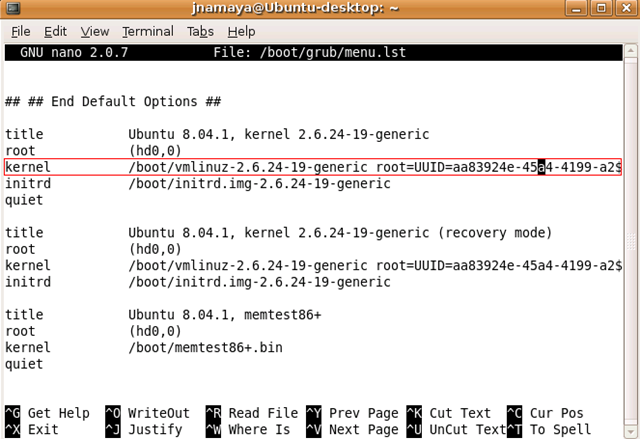
sudo nano /boot/grub/menu.lst“ enter you password when asked. When you get to the menu, scroll to the very bottom and look for the following code line:
Go to the end of the line code and change the last piece of code, from “quiet splash ““ ““” to “
noreplace-paravirt” press CTRL + O to write, press ENTER to accept it, and press CTRL + X to exit out.
Now Ubuntu should load fine when you restart the virtual machine. There are other issues with Ubuntu on the virtual machine too, like Audio not working and the screen resolution is very crappy. I will address this issues very soon.


No comments:
Post a Comment